
QuantumSpectX Cross-Platform Spectroscopy Software
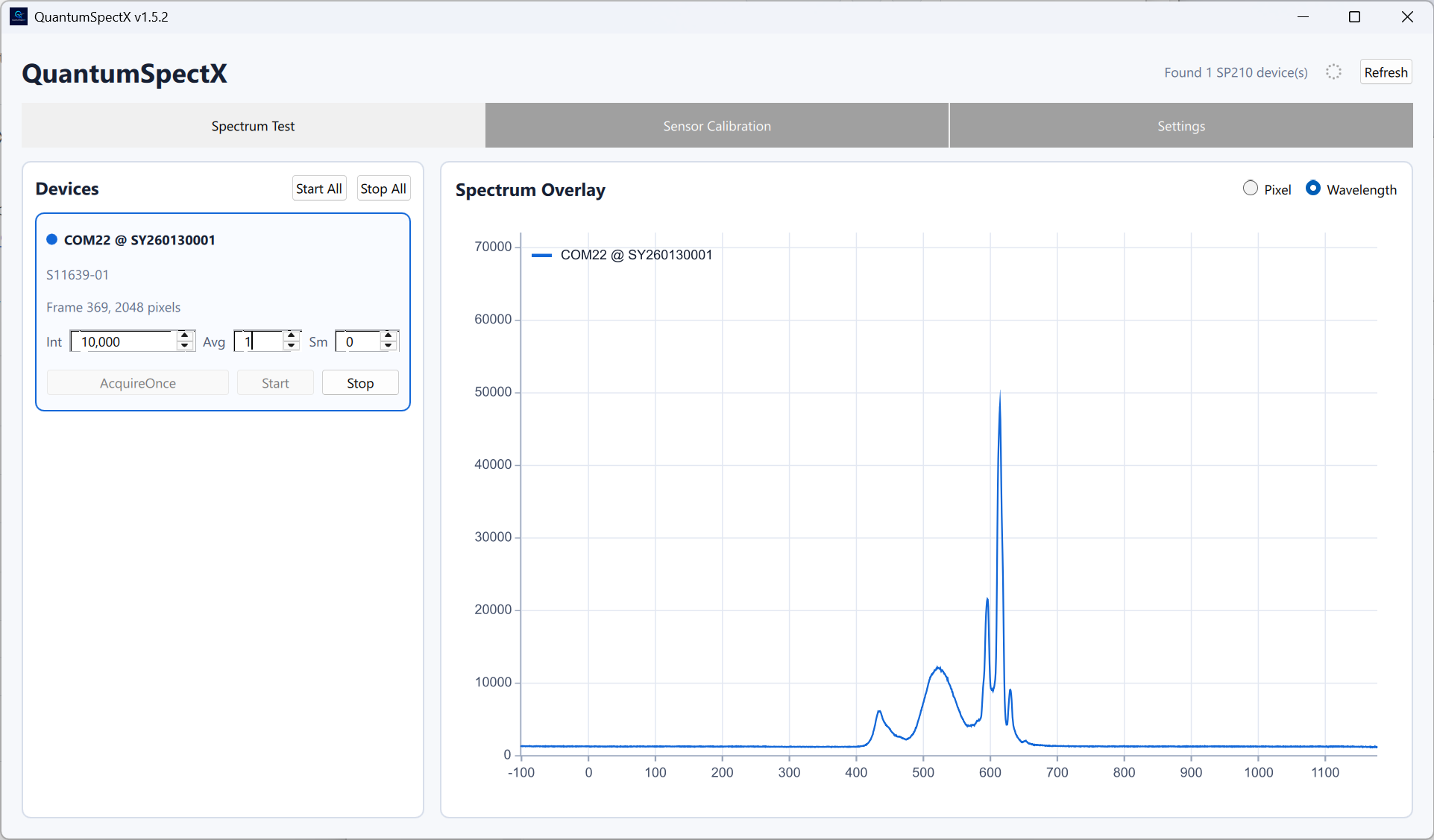
Spectrometer testing and acquisition software for Windows and Linux. Acquire spectra, overlay curves, and switch between pixel and wavelength axes.
Product Overview
QuantumSpectX is a cross-platform spectroscopy application written in C++ for factory testing and on-site measurements. Once a spectrometer is connected, you can view device information, adjust acquisition settings, acquire spectra, overlay curves, and switch between pixel and wavelength axes.
Running QuantumSpectX
- Windows x64. Extract the ZIP and run
QuantumSpectX.exe. If the required Visual C++ x64 runtime is missing, run the includedvc_redist.x64.exefirst. - Linux x86_64 / ARM64. Download the AppImage for your processor architecture, make it executable, and run it.
Free Use and Licensing of Qt Community Edition
QuantumSpectX dynamically links to Qt 6.11.1 Community Edition. The bundled Qt runtime libraries are licensed under the GNU Lesser General Public License version 3 (LGPLv3, LGPL-3.0-only). Qt is copyright The Qt Company Ltd. and other contributors. You can run QuantumSpectX without purchasing a separate commercial Qt license.
License Files and Qt Runtime Replacement
The Windows ZIP includes a licenses/ directory. After extracting the Linux AppImage, look in usr/share/doc/QuantumSpectX/licenses/. Both directories contain the Qt usage and copyright notice (NOTICE.txt), the full LGPLv3 and GPLv3 license texts, and the runtime replacement guide (REPLACE-QT.txt).
LGPLv3 allows you to modify the Qt portions supplied with the software, run the software with interface-compatible modified Qt libraries, and reverse engineer the software to debug those modifications. Back up the original files and use shared libraries compatible with the operating system, processor architecture, and original runtime ABI. Replace Qt libraries, plugins, or QML modules together when they share a private ABI.
- Windows x64. Close the application and replace the relevant
Qt6*.dllfiles alongsideQuantumSpectX.exe. Update components inplatforms/,imageformats/, orqml/as needed, then runQuantumSpectX.exe. - Linux x86_64 / ARM64. Run the AppImage for your architecture with
--appimage-extract. Replace the relevantlibQt6*.so.6files insquashfs-root/usr/lib/, preserving the library filenames and symlinks. Update components inusr/plugins/andusr/qml/as needed, then run./AppRunfromsquashfs-root.
Qt Open-Source License Obligations · Qt 6 Module Licensing · LGPLv3 Full Text · GPLv3 Full Text
Development with the SP210 SDK
SP210 SDK v1.5.4 provides a C ABI for device discovery, parameter configuration, and spectrum acquisition. You can integrate it using C, C++, or C# P/Invoke. The package includes builds for Windows x64, Linux x86_64, and Linux ARM64, plus C++17 and .NET 10 examples for Windows x64.
To integrate the SDK on Linux, provide compatible Qt 6 Core and Qt 6 SerialPort runtime libraries. The SP210 SDK Developer Guide in Related Downloads covers deployment, calling conventions, and the API reference.
Technical Specifications
- Supported Operating Systems
- Windows 10/11 (x64) / Linux (x86_64 / ARM64)
- Hardware Driver
- Uses an STM32 virtual COM port. Most operating systems require no additional driver.
- Runtime Dependencies
- Windows requires the Visual C++ x64 runtime (installer included in the ZIP). On Linux, the Qt runtime is bundled in the AppImage.
Applications
- Factory testing and adjustment of spectrometers
- On-site spectrum acquisition and instrument adjustment
- Spectrometer wavelength recalibration
Related Downloads
- Download File
QuantumSpectX (Windows x64)
- Download File
QuantumSpectX (Linux x86_64)
- Download File
QuantumSpectX (Linux ARM64)
- Download File
SP210 SDK
- Download File
SP210 SDK Developer Guide